How to: Switchboard Calls as a Supervisor
Why we’re excited: this feature will empower supervisors to manually triage incoming calls (i.e. “switchboard”), which is commonly used to prevent clients who are using the service inappropriately from getting through to counsellors.
Now, supervisors can easily turn on “Switchboarding Mode” and the Aselo system will guide them through a safer, smoother process of switchboarding.
How Switchboarding works in Aselo:
Your supervisors will notice they have been added to a new “Switchboard Queue”, not visible to counsellors. Normally, the Switchboard Queue would NOT receive any routed calls:
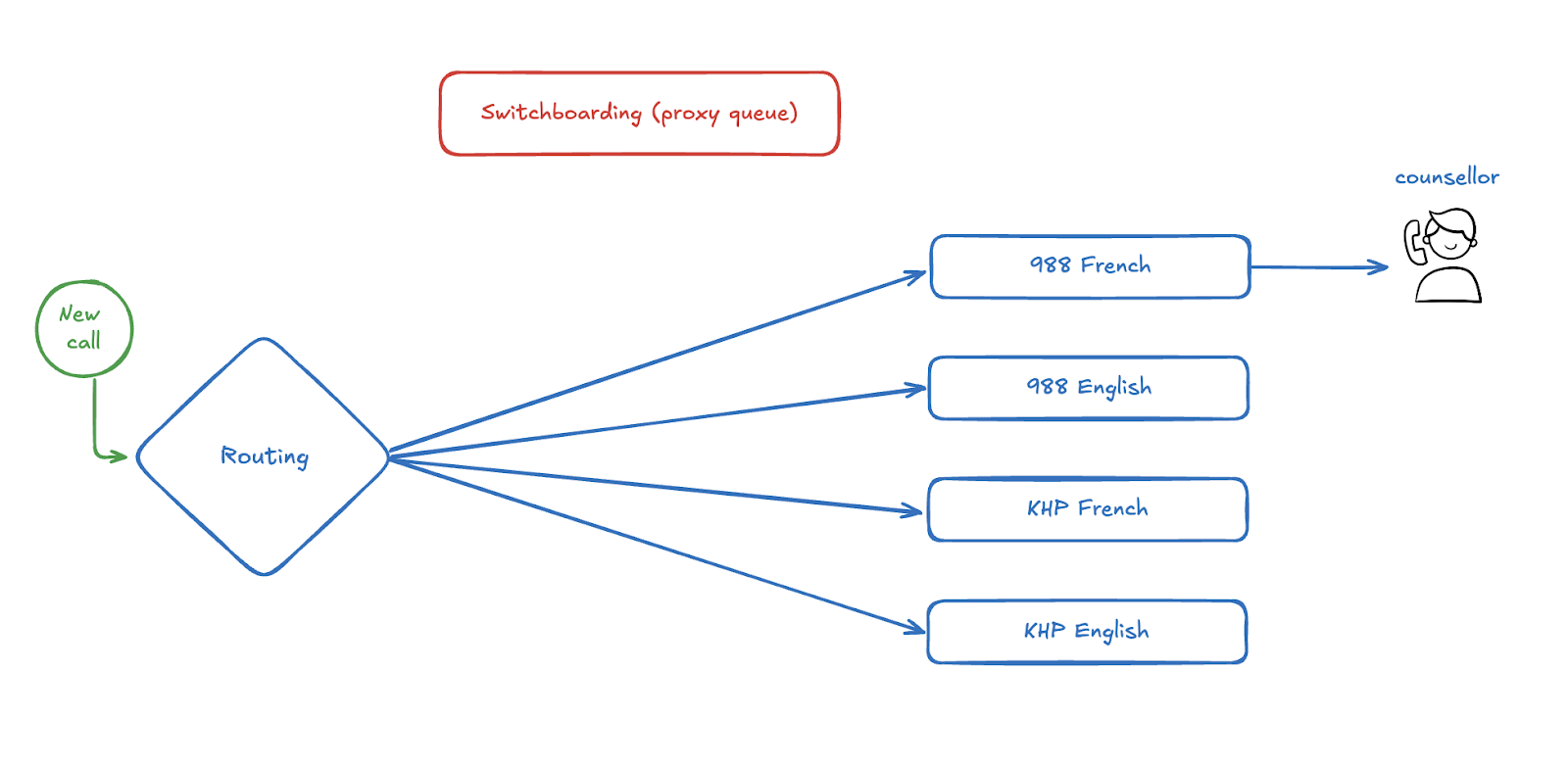
When needed, a supervisor can turn on “Switchboarding Mode” in Aselo for a particular queue like 988 French. (see detailed steps below)
From then on, all incoming 988 French calls would be routed to the Switchboard Queue. There supervisors would screen and triage callers, then manually transfer valid counselling calls:
To the original queue (ex: 988 French) where counsellors will be waiting as normal
Directly to an available counsellor, if preferred
This could be used to prevent service users who are using the service inappropriately from getting through to counsellors.
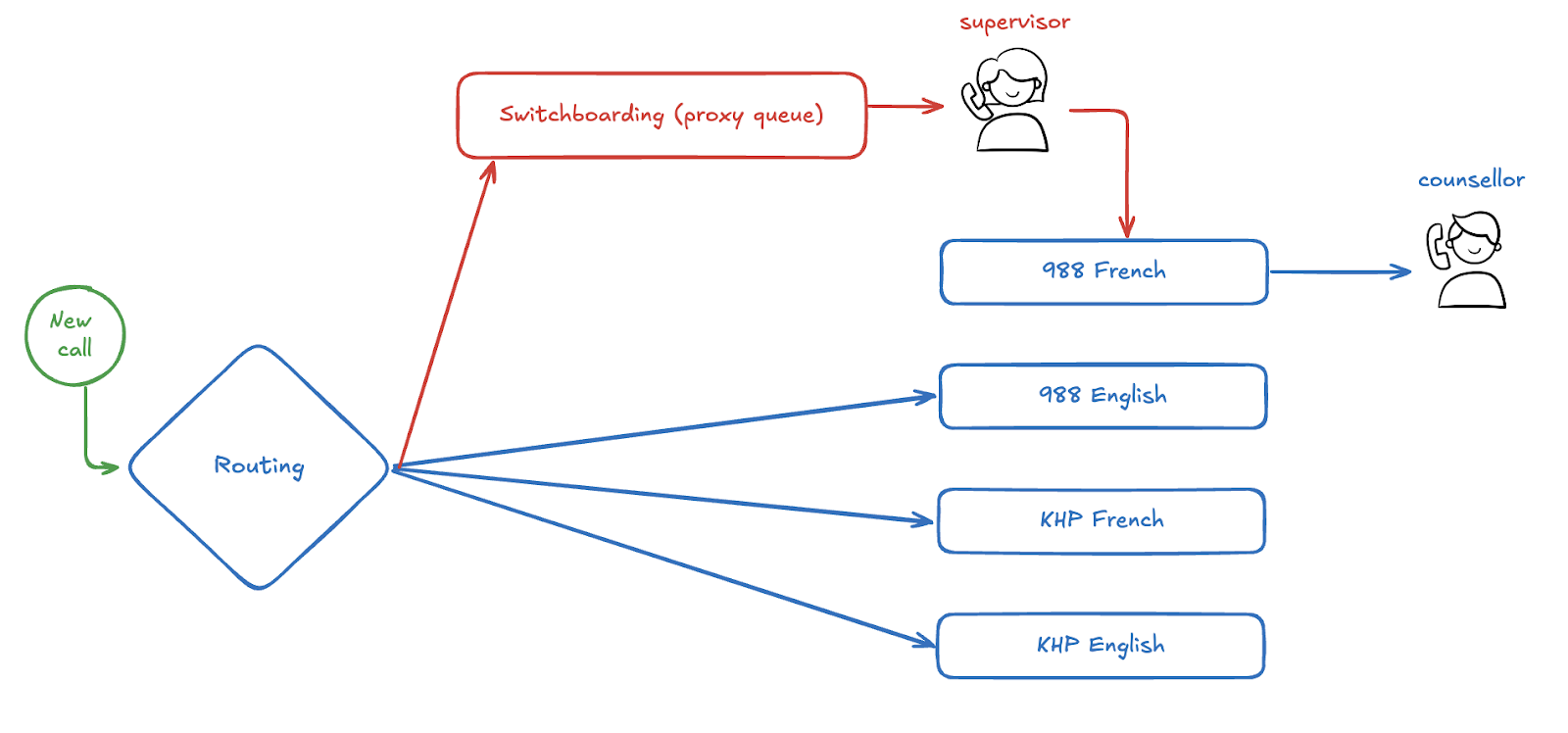
Later, when a CM turns off Switchboarding mode in Aselo, all the calls would be returned to the original 988 French queue.
This approach will reduce stress and uncertainty for supervisors in a few ways:
No need to remove or add counsellors from any queues
No need to remember to add counsellors back into their original queues later
No need to transfer calls directly to counsellors unless specifically desired. Instead, you can transfer to the original queue where counsellors are waiting as normal.
This approach will also simplify things for counsellors, who will see no visual indicators that Switchboarding Mode is turned on.
Important notes:
For now, supervisors can switchboard only 1 queue at a time.
You can switchboard chats as well as calls.
Our Aselo team is still improving it, so we’d love to hear your feedback, ideas, and questions at support@aselo.org.
How you can switchboard in Aselo:
Confirm you have a supervisor role.
Navigate to the Queues page and notice a new tile in the top left: “Switchboarding”.
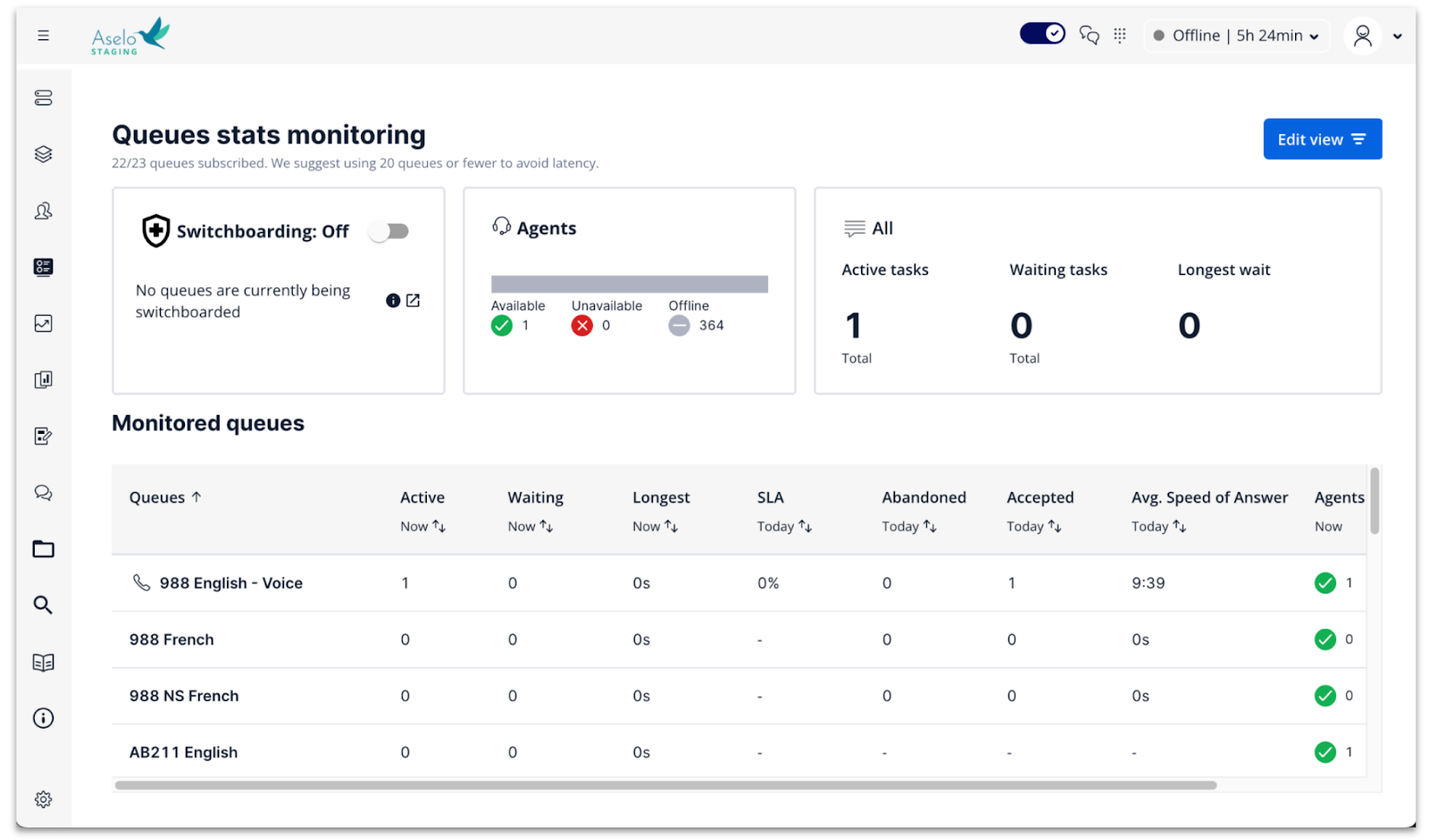
Click the Switchboarding toggle button.
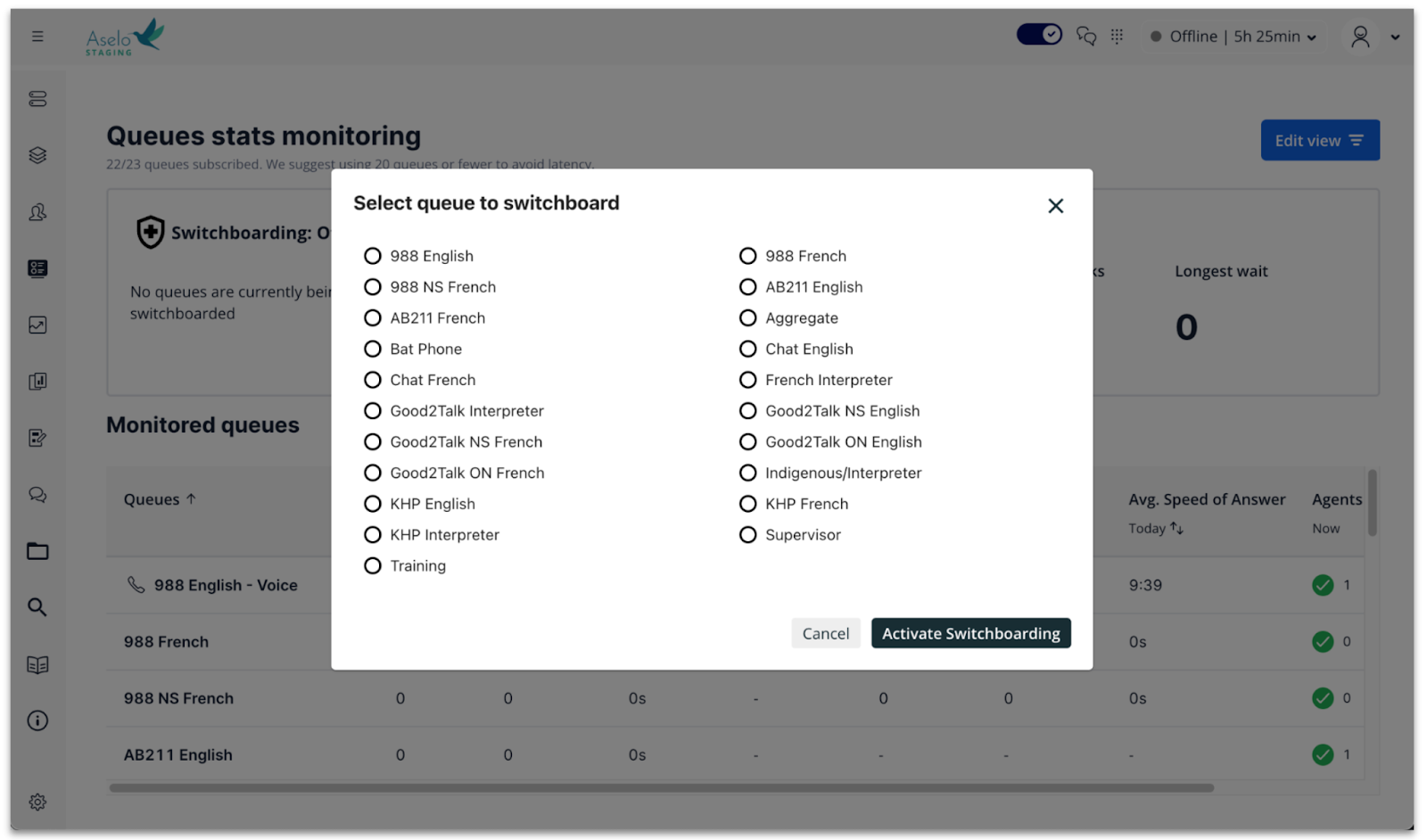
Select the queue you’d like to switchboard, and click “Activate Switchboarding”.
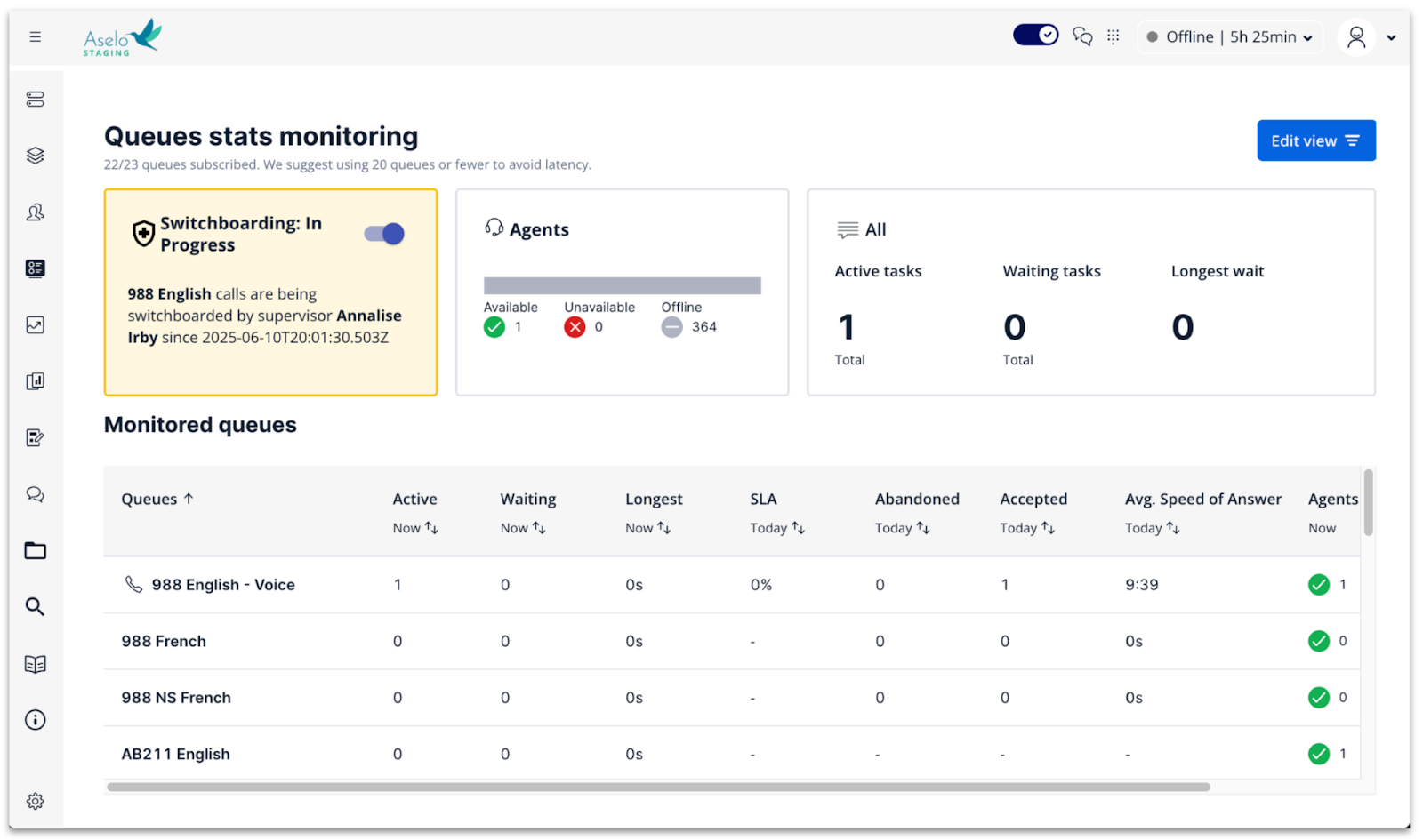
Tip: the Switchboarding tile will now display your name and the time you started switchboarding, so that all supervisors on shift are aware.
Set yourself as “Ready” to receive incoming calls from the Switchboarding queue.
Tip: switchboarding calls will be routed to any supervisors who are on “Ready”. If a supervisor doesn’t want to receive switchboarding calls, they should make sure they are on Not Ready.
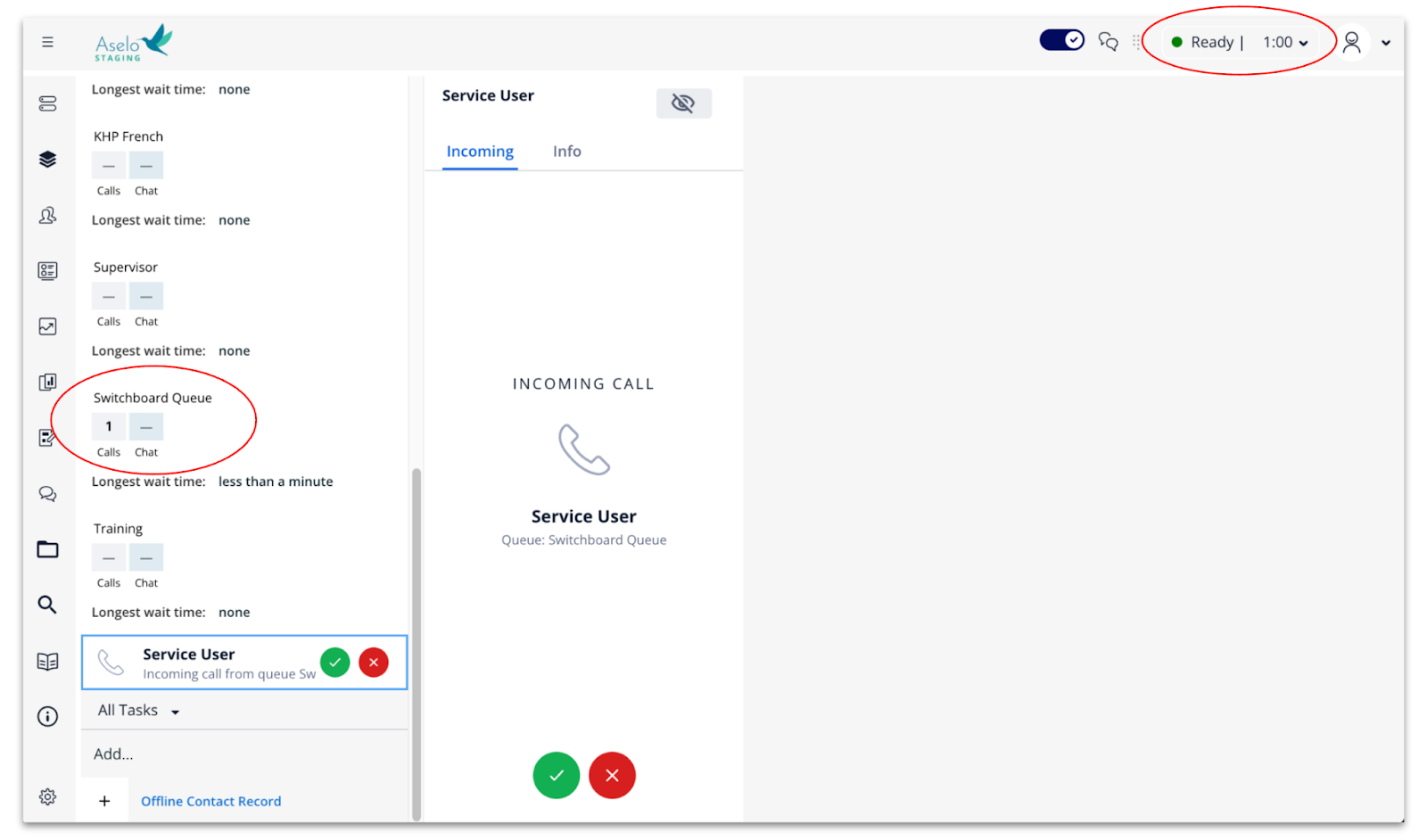
Screen incoming calls to determine if they are valid or may be misusing the service.
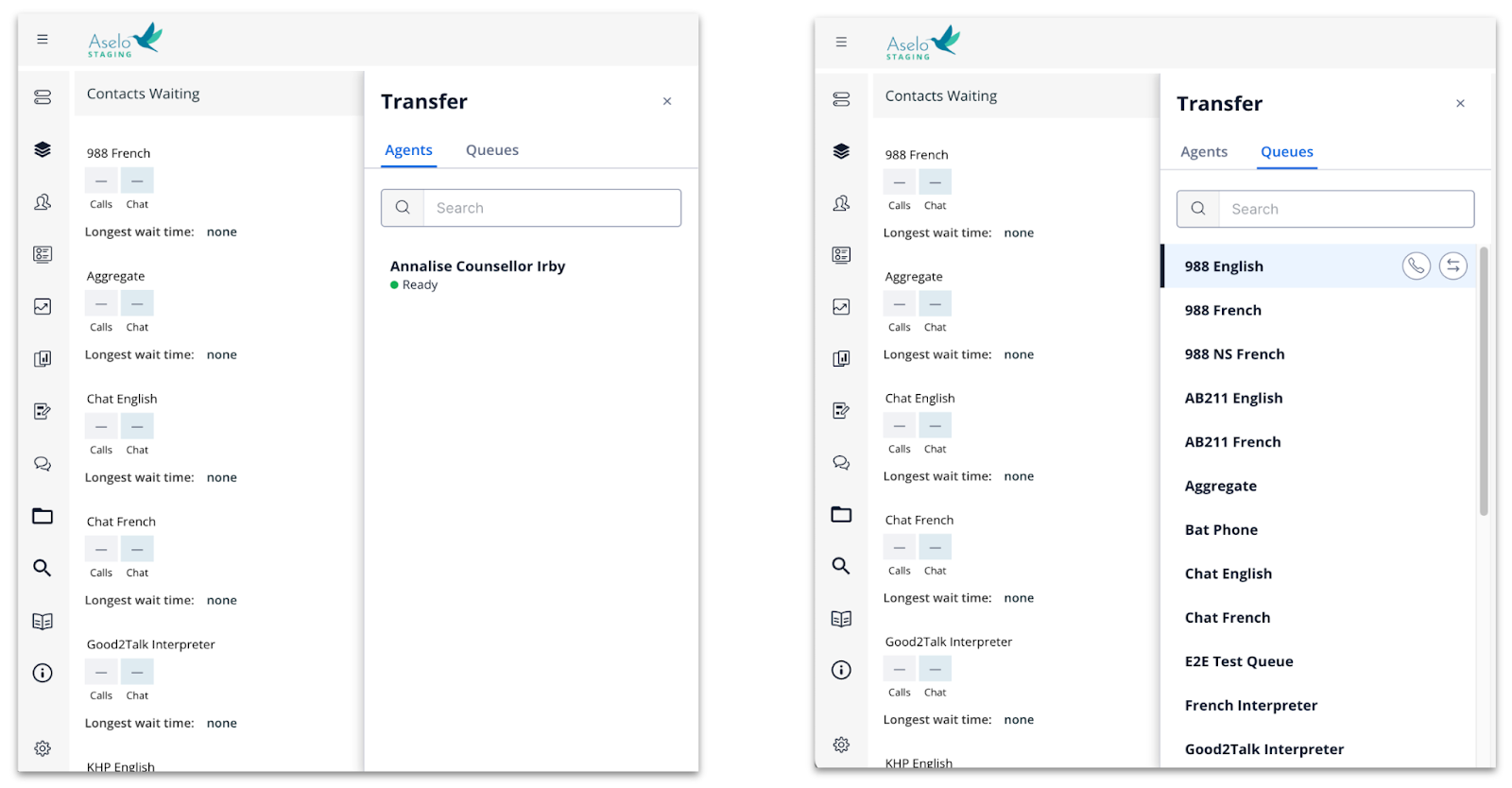
Transfer any valid counselling calls to the original queue, or directly to a counsellor if you prefer.
Tip: all data entered in the contact survey data (and emergency referral) will automatically transfer as well. The contact ID will remain the same. The contact will be saved to the counsellor who finally clicks “Save and End”.
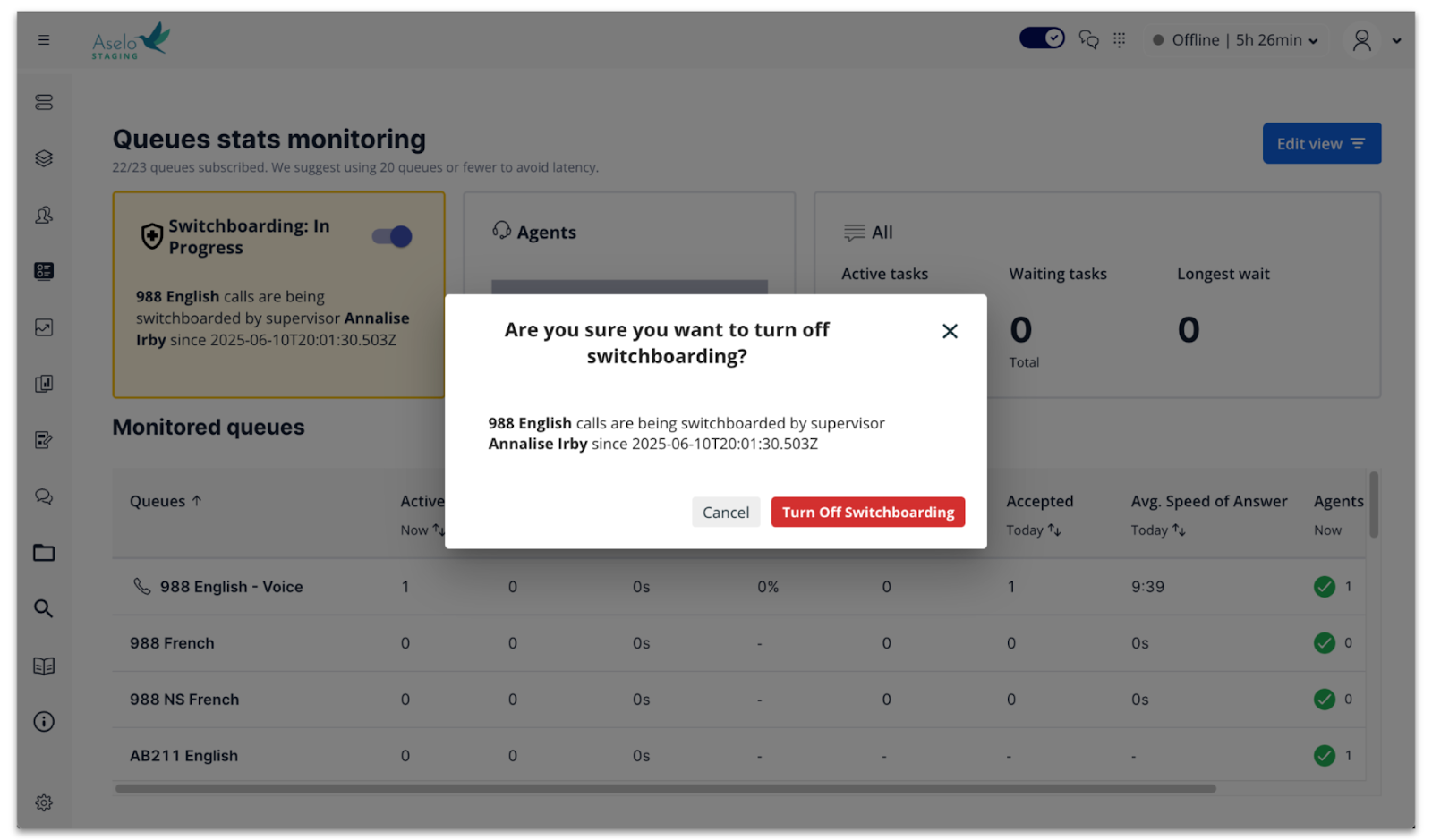
When you’re finished, click the Switchboarding toggle button again. Then click the red button in the confirmation pop-up box to “Turn off Switchboarding”.
Tip: any supervisor can turn off switchboarding, regardless of who turned it on.
Skill: “Hold for Transfers”
Let’s say that you’re screening calls on the Switchboarding queue. You accept a caller who has been waiting for 10 minutes, and you realize that their call is urgent and high priority. You want to be sure they are transferred straight to a counsellor without having to wait again in the original queue.
To do this, you can enable the “Hold for Transfers” skill for one or more counsellors on shift. Counsellors with this skill will NOT receive any incoming calls from queues, but they CAN receive transferred calls.
Please remember to turn OFF the “Hold for Transfers” skill for any counsellors, once switchboarding is completed. That way, the counsellors can go back to receiving calls from queues as normal.
Was this article helpful?
That’s Great!
Thank you for your feedback
Sorry! We couldn't be helpful
Thank you for your feedback
Feedback sent
We appreciate your effort and will try to fix the article